
Jquery Image Dropdown
Jquery Image Dropdown
Scroll to read
/ jquery image dropdown
Jquery Image Dropdown
New Version 4.0.x is available - Read here.
JavaScript image dropdown
Are you tired with your old fashion dropdown? Try this new one. Image combo box. You can add an icon with each option. It works with your existing "select" element or you can create by a JSON object. I hope you'll like this.
Preview:
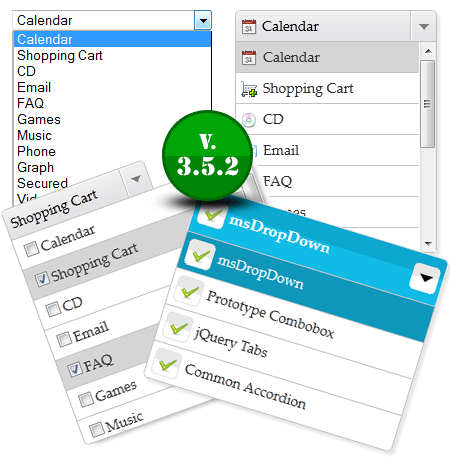
Feature at glance:
- Fully Skin-able
- Your original dropdown is safe, so your form post will not be messed.
- Can be created via JSON object.
- An image and a description can be inserted with text. Each <option> can have an image and description.
- You may covert all Combobox as image Combobox, you may convert by id, multiple ids, or by wild card. We'll see that in the example.
- It's possible to repopulate the data. You can also Enabled/Disabled your dropdown. Now with the object control.
- Almost all events are working.
Image DropDown v3.5 Features
- Each dropdown can have its own properties.
- W3C Compatible
- More Organised
- Keyboard navigation
- Multiple selections (List)
- Multiple selections can have checkbox UI
- Event Chaining
- Multiple skins on a single page
- CSS sprite for icons.
- Object-Oriented approach
- Open/Close via object
- Add/Remove via object
- Enabled/Disable via object
- You can set almost all properties via object
- It's FREE again :)
Dependency:
Jquery 1.2.6 or later.
This jQuery plugin works perfectly without any modification. Just follow the instruction and enjoy!
1. How to use (HTML Part)?
1.1 Have a look at the original dropdown.
<select name="webmenu" id="webmenu"  onchange="showValue(this.value)">
    <option value="calendar">Calendar</option>
    <option value="shopping_cart">Shopping Cart</option>
    <option value="cd">CD</option>
    <option value="email"  selected="selected">Email</option>
    <option value="faq">FAQ</option>
    <option value="games">Games</option>
  </select>
Yes, This is a normal dropdown but I've added an image path in the "data-image" attribute. See below.
<select name="webmenu" id="webmenu">
    <option value="calendar" data-image="icons/icon_calendar.gif">Calendar</option>
    <option value="shopping_cart" data-image="icons/icon_cart.gif">Shopping Cart</option>
    <option value="cd" data-image="icons/icon_cd.gif">CD</option>
    <option value="email"  selected="selected" title="icons/icon_email.gif">Email</option>
    <option value="faq" data-image="icons/icon_faq.gif">FAQ</option>
    <option value="games" data-image="icons/icon_games.gif">Games</option>
  </select>
2. How to use (Script Part)?
2.1 You need to add the following code in "header".<script src="js/msdropdown/jquery-1.3.2.min.js" type="text/javascript"></script>
<script src="js/msdropdown/jquery.dd.min.js" type="text/javascript"></script>
<link rel="stylesheet" type="text/css" href="css/msdropdown/dd.css" /><script language="javascript">
$(document).ready(function(e) {
try {
$("body select").msDropDown();
} catch(e) {
alert(e.message);
}
});
</script>You are done. That's It.
Click here to play with the demo!
Download from GitHub.com
- $.browser - jQuery 1.9 version fixed
- Keyboard navigation issue has been fixed
- destory is now destroy - oops typo error
v3.2 updates:- All setting parameters can passed throught element's data- attributes. ie. data-maincss="blue"
- zIndex bug fixed for list and dropdown if both on the same page.
- Added setIndexByValue method. However same can be done by - handler.set("value", value)
- Added "append" and "prepend" in setting params. append is used to append the element to the childdiv and prepend do as the name suggest.
- Added one more help file for objected oriented approach.
v3.1.1 updates:- chrome onchange bug fixed
- less than ie8 zindex bug fixed
- less than ie8 add() method bug fixed
v3.1 updates:- Child width can be alter
- New multiple is introduced. Its multiple but with the checkbox.
- Bonus: elementname_mscheck will be posted along with the form post/get. i.e. if element name is "tech" checkbox tech_mscheck[] is created. However you can set the suffix using 'checkboxNameSuffix' parameter.
v3.0 updates:- Written from scratch
- Improved performance and UI
- Improved auto filter experience
- Added data- support in attributes for image, description, title, imagecss, text and value
- Event can be bind/unbind through object
- Organized folder structure
- Old style (with title attribute) is also working.
- Country dropdown with flags as a bonus
v2.38 updates:- document keydown/keyup method unbind
- added json support in title. {image:'', title:''}
- onchange bug on onclose
- CSS style declaration problem
- jQuery 1.7.1 compatibility issue
- IE8 sprite
v2.37.5 updates:- Fixed an ie6 error.
v2.37 updates:- values are updated properly when it opens upwards
- Now works with jQuery 1.6.1.
- Improved performance
- Added quick selection. Filter options on key press
v2.36 updates:- Onchange bug has been fixed. Finally :)
- No more id is required.
v2.35 updates:- Now works in FF4.
- Onchange bug has been fixed.
- DropUp when your dropdown is showing at bottom of the page.
- Some minor ui changes
v2.3 updates: